
Order Booking
Overview
Section titled “Overview”Order Booking module is designed to streamline and manage the order booking process.
It is used to record and manage booking details for textile orders.
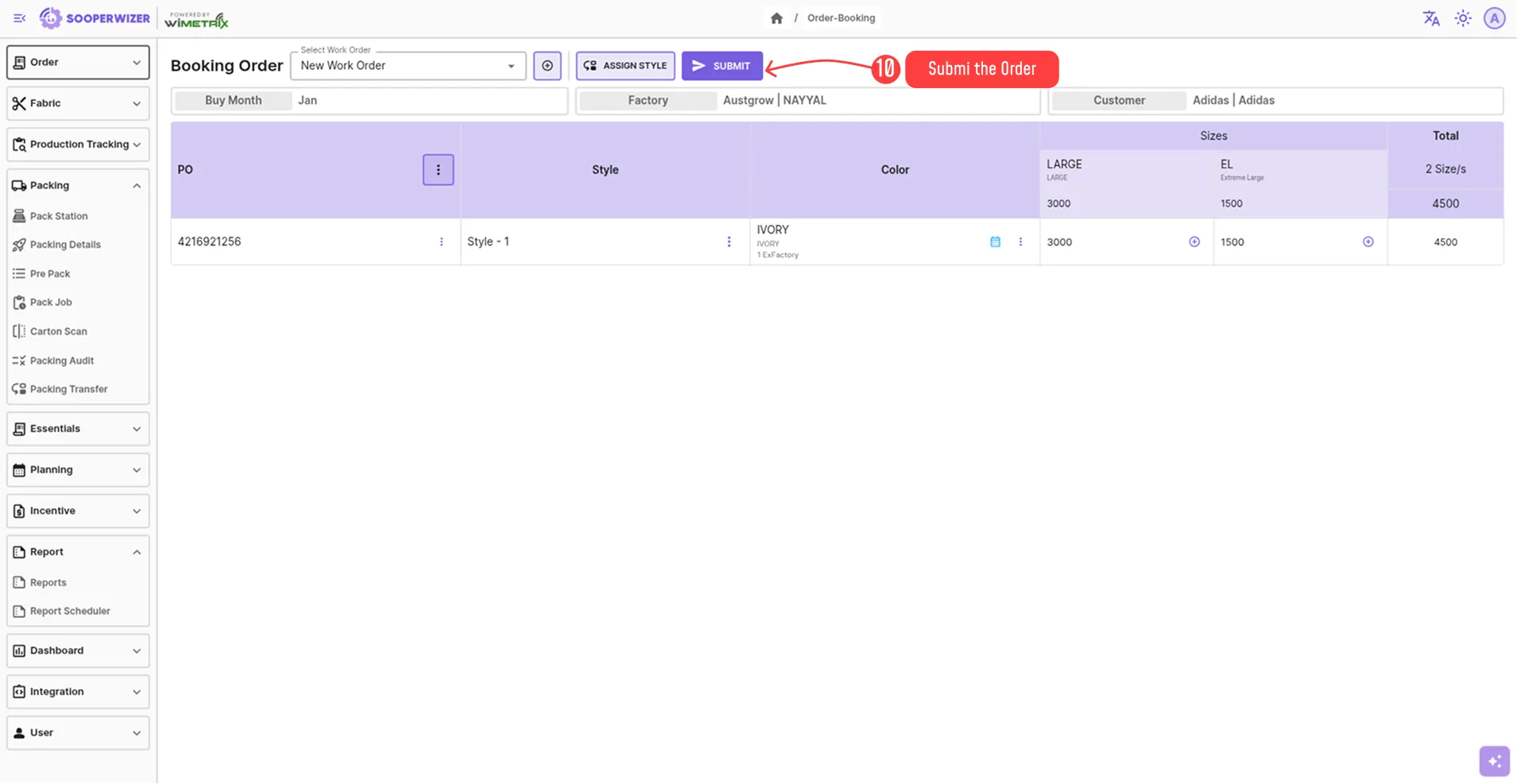
The module manages the complete order structure, starting with the creation or selection of a work order.
Within a work order, purchase orders are added, followed by styles under each purchase order.
Each style then contains its related colors, and each color further defines the required sizes, quantities and its packing details.
This hierarchy ensures full traceability and control from order creation to final delivery.
Steps to add an Order Booking
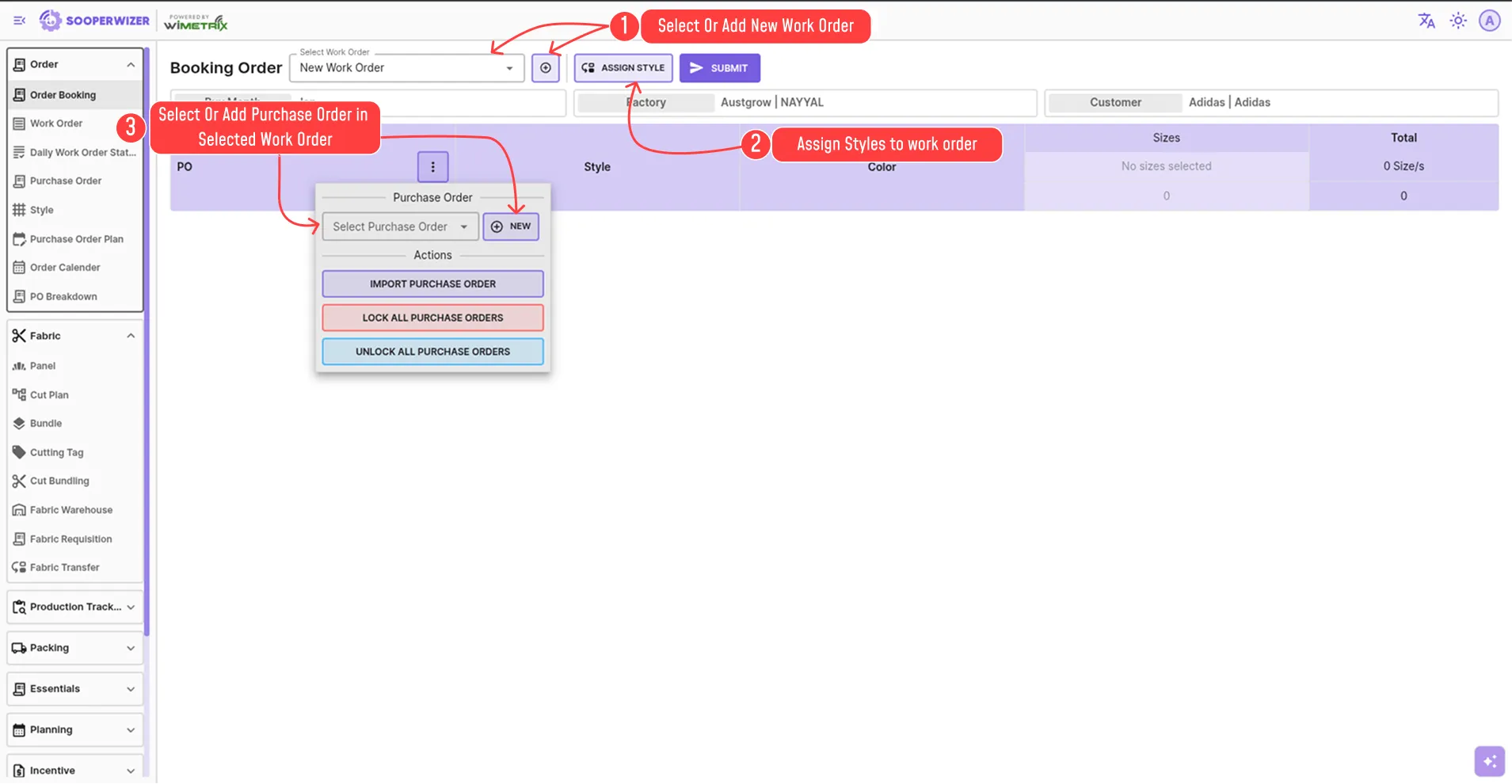
Section titled “Steps to add an Order Booking”- Select or add new work order
- Assign Style to the work order if needed.
- Add purchase order under the work order
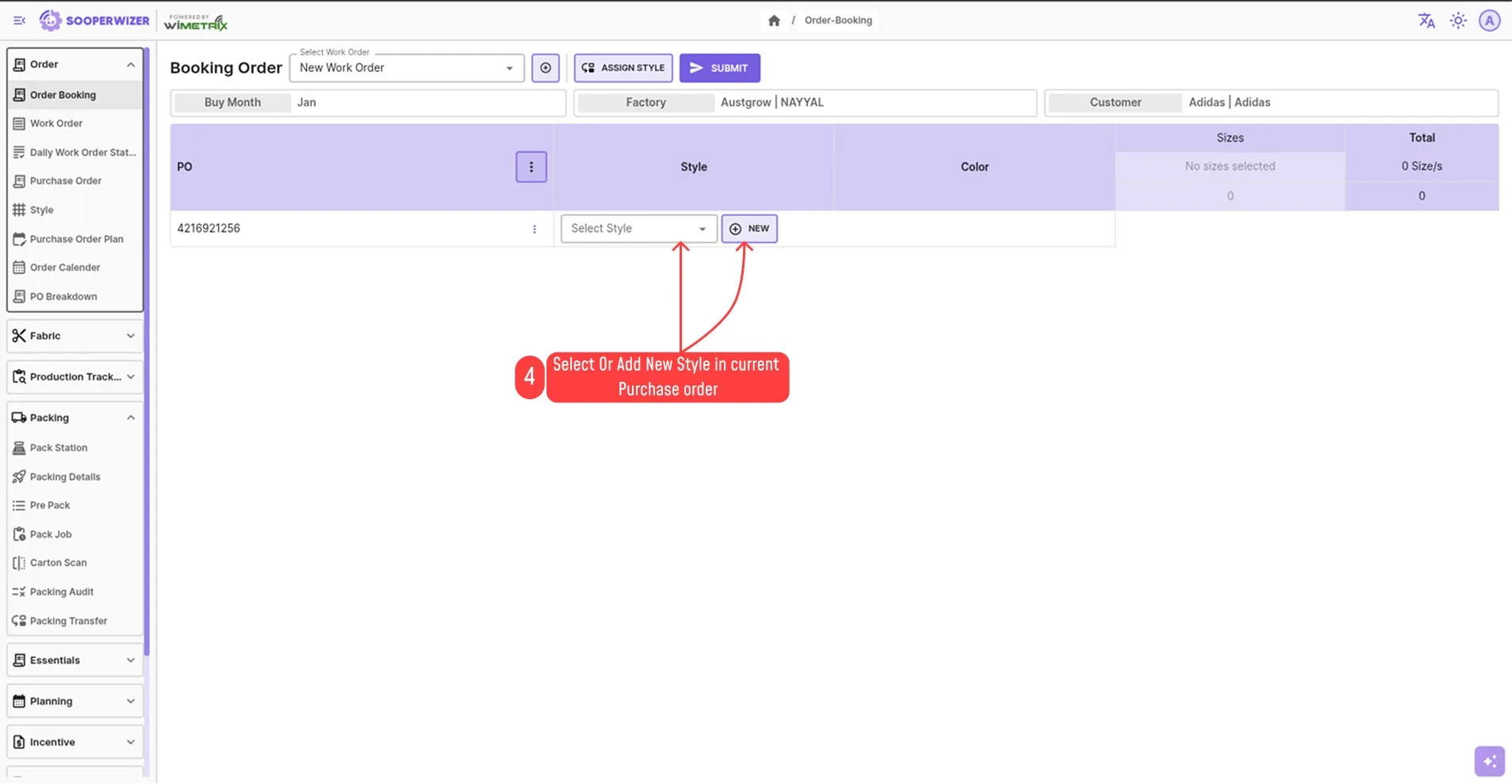
- Add styles under the purchase order
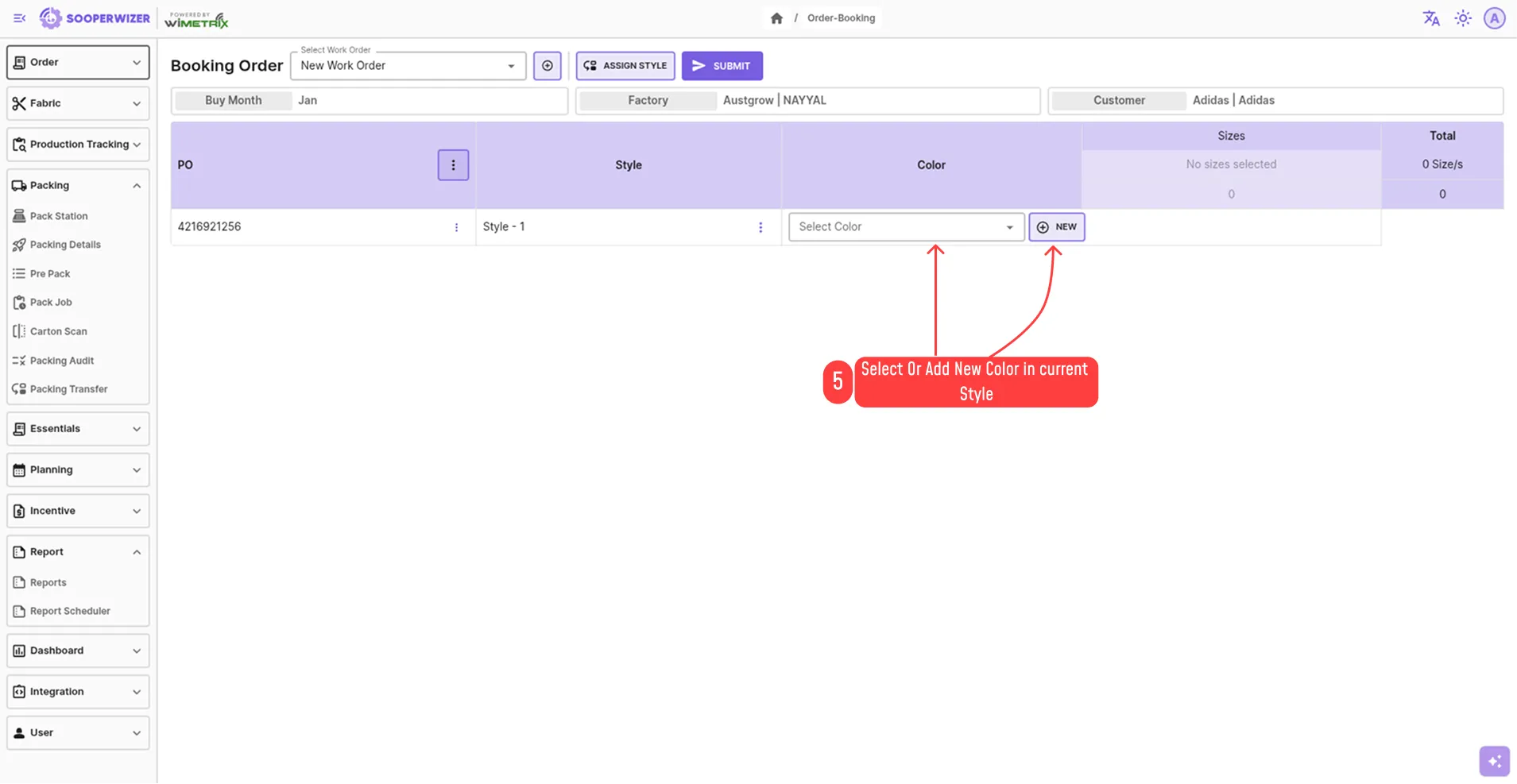
- Add colors under each style
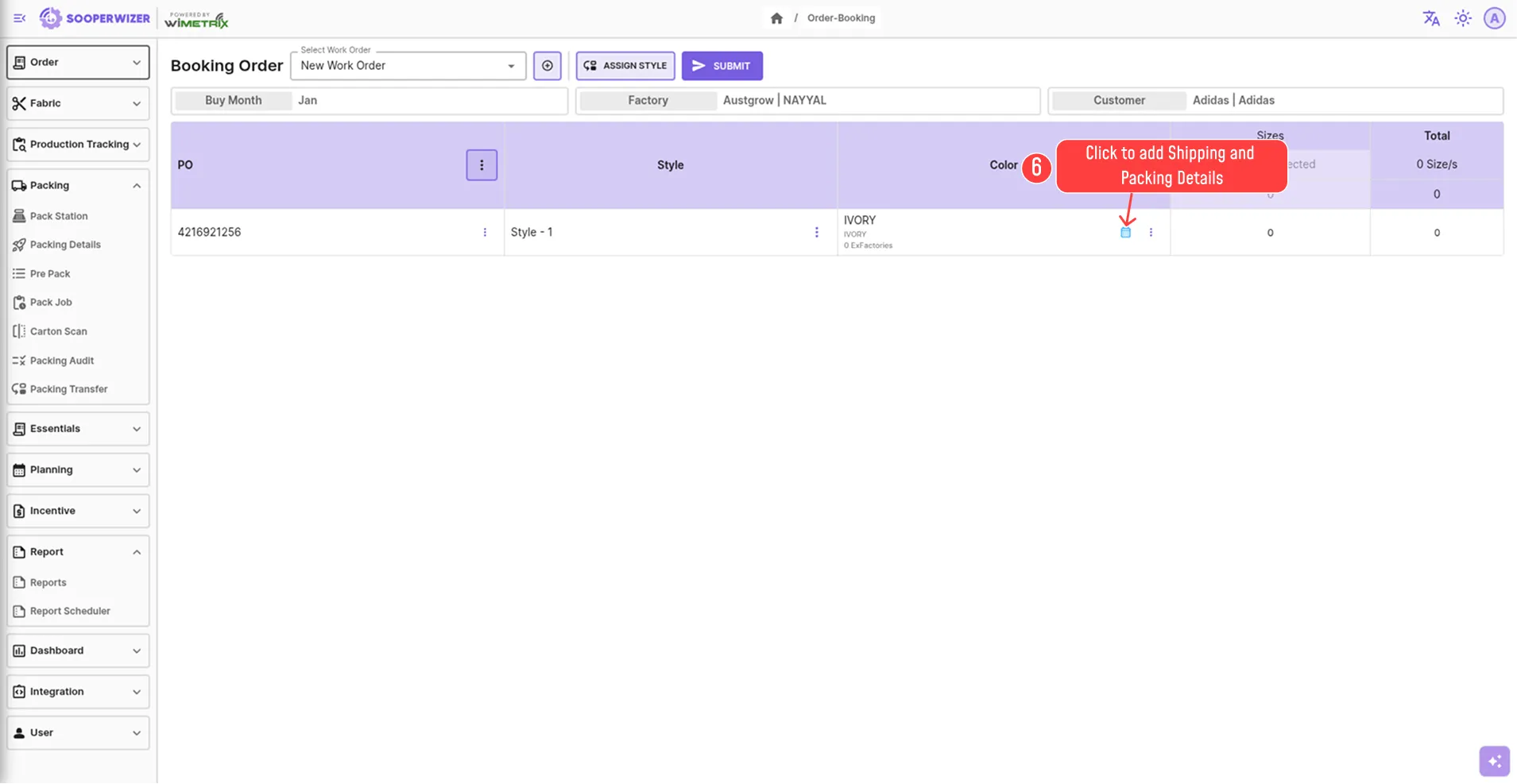
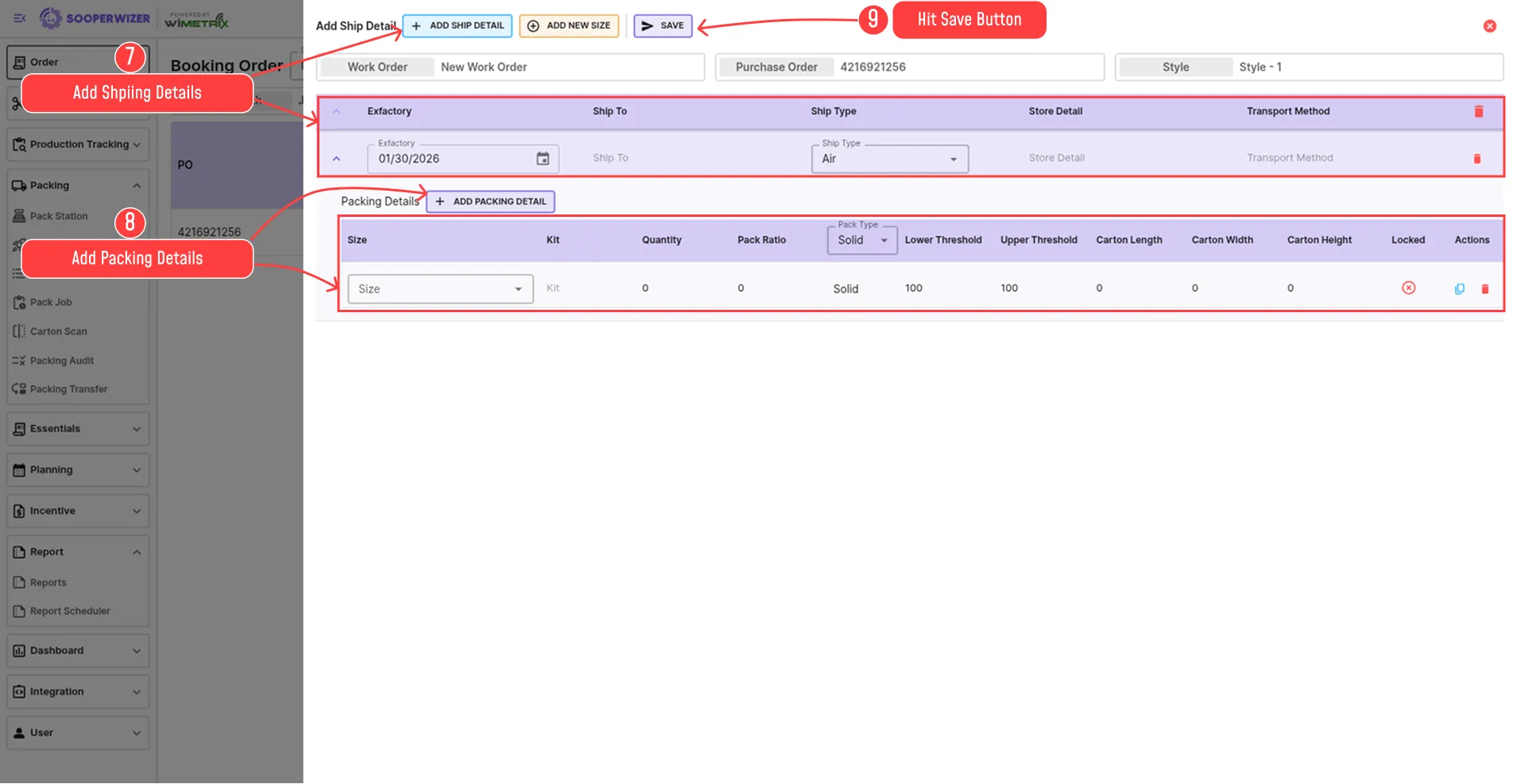
- Define the Ship Details for each color.
- Add packing details for each size under the ship details.
- Hit save Button.